How it works
This page explains how AR 51 turns camera video into usable 3D motion — the data path from the cameras to your application. AR 51 is markerless: nothing is worn by the performer. The pipeline has three stages — Capture → Compute → Consume.
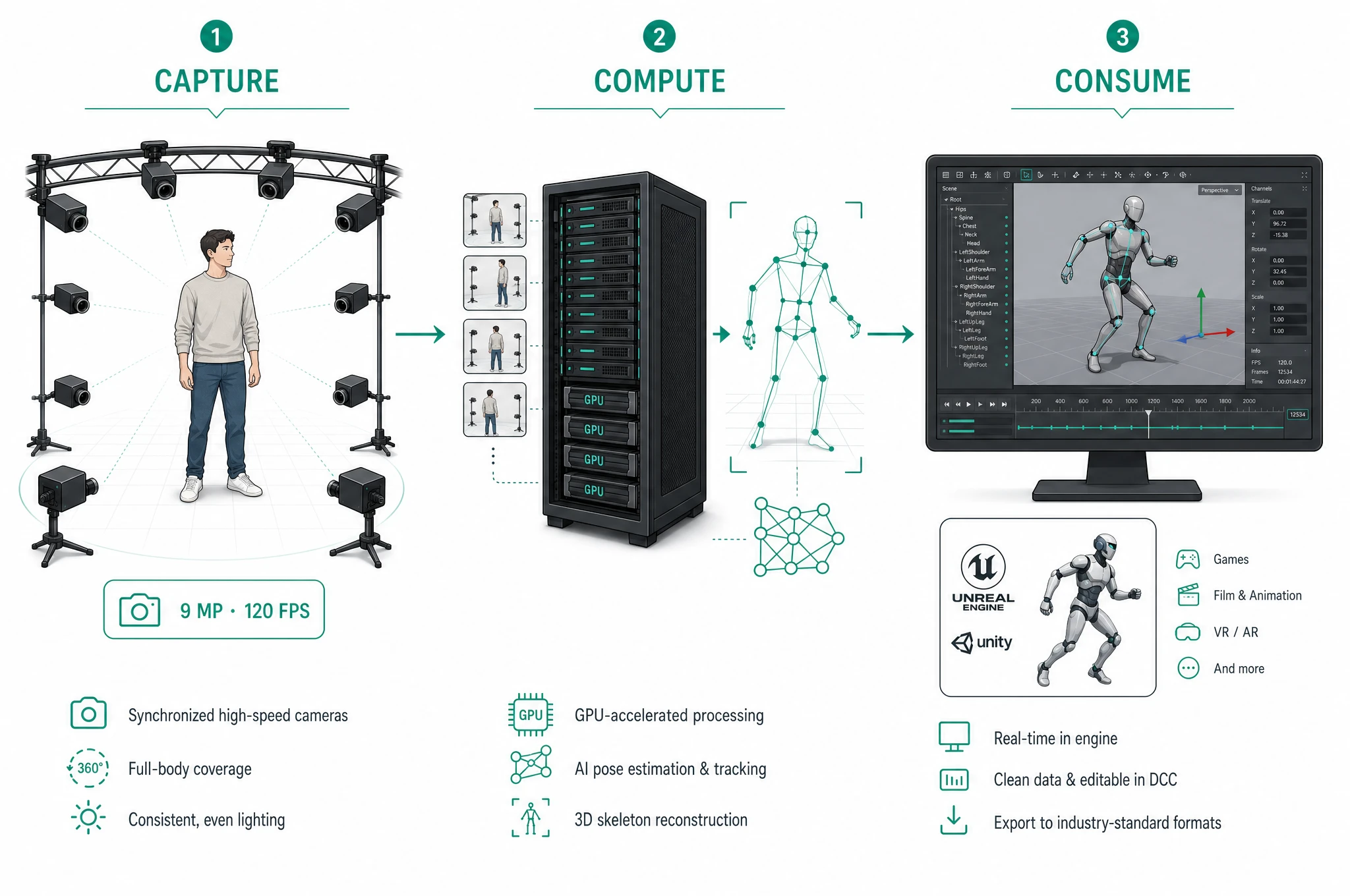
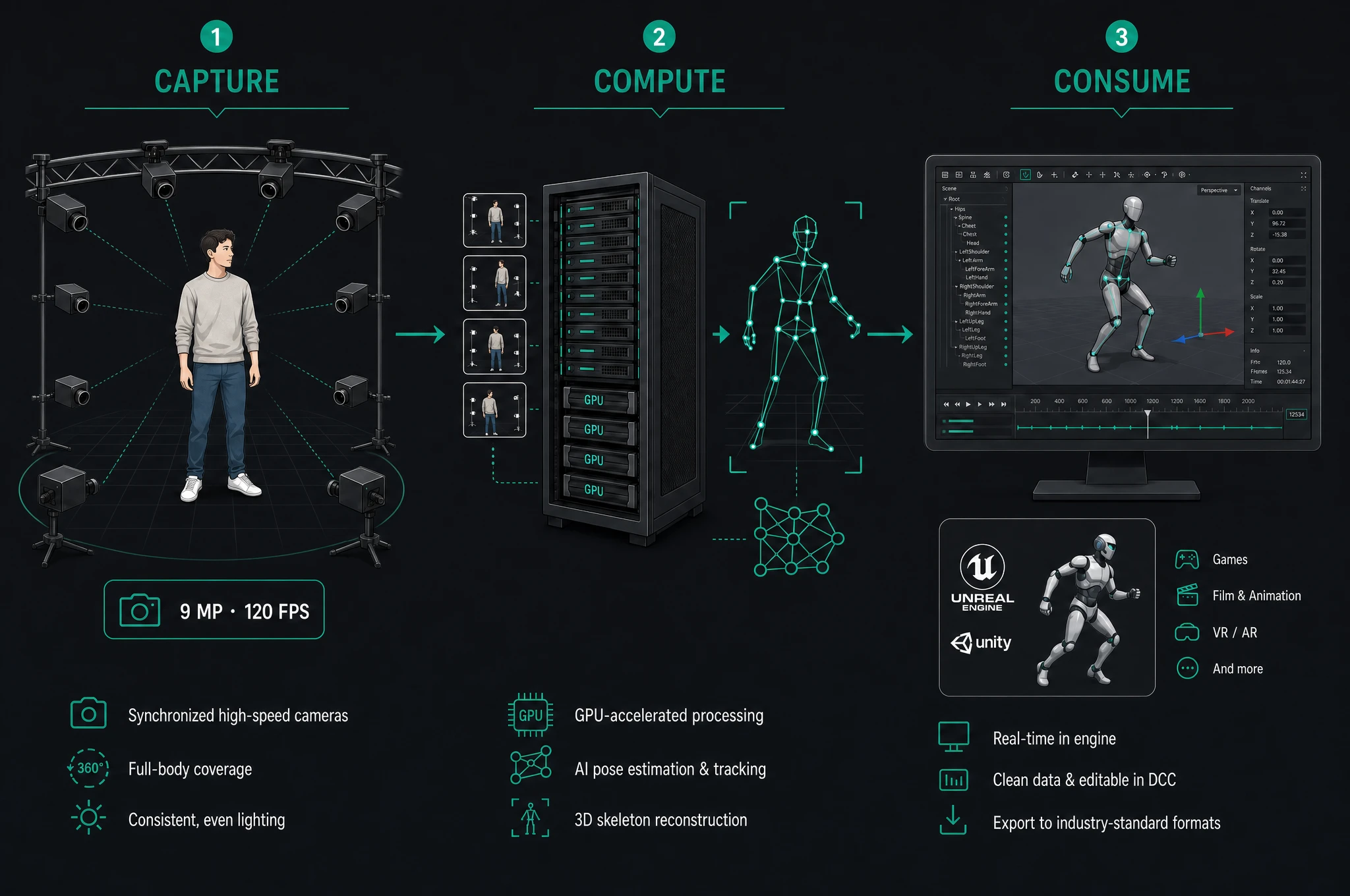
1. Capture
AR 51's MindVision cameras (9 MP, 120 FPS, higher frame rates supported) ring the capture volume and stream synchronized video to the server. The cameras are hardware-synced so every frame across the array shares a timestamp — this is what lets the next stage fuse views correctly.
→ See hardware overview and room & camera setup.
2. Compute
The computer-vision server (CVS) runs GPU pose estimation, fusing all camera views into 3D data many times per second. Per frame it produces:
- Skeletons and hands for every tracked person
- Tracked objects you've registered (props, tools)
- Camera poses from calibration, so all output shares one coordinate space
It tracks multiple people simultaneously and re-identifies them across frames via a persistent EntityId, so a person keeps their identity after leaving and re-entering the volume.
→ Fusion depends on a one-time camera calibration; identity handling is covered in entity identification.
3. Consume
The 3D output is consumed in two ways.
Mocap Studio — visualize the capture, record takes, and export (FBX and other formats).
SDKs and APIs — stream the data live into your own application over gRPC. Available clients:
| SDK / API | Language | Typical use |
|---|---|---|
| Unity SDK | C# | Unity games/apps, VR, virtual production |
| Unreal SDK | C++ / Blueprint | Unreal projects, LiveLink, RenderStream |
| .NET | C# | Headless / desktop consumers |
| C++ | C++ | Native integrations |
| Python (PyCvs) | Python | Research, data pipelines, ML |
Clients don't hard-code addresses: they discover services through the OMS registry and connect. See Connecting a client.
The pieces, in a sentence each
| Term | What it is |
|---|---|
| CVS | Computer-vision server — runs pose estimation and produces the 3D motion from camera video. |
| OMS | The registration/discovery service that lets components find each other. |
| DGS | Shared scene & spatial anchors for multi-user / VR sessions. |
| EntityId / PersonId | Persistent vs. per-session identities for tracked people. |
Full definitions in the glossary.
Where to go next
- Quickstart — go from a running system to your first capture.
- SDK & API → Architecture — service topology and the data model.
- Connecting a client — discover services and open a stream.